Sharing a Record
versaSRS allows a Record (Case/Problem/RFC) to be Shared with a User that is not a member of the Team that the Record resides in, or with another Team. When Sharing a Record in versaSRS you can set the time period that it will be Shared for and whether or not the Shared User/Team can perform updates (Write Enabled).
You can share a Record by clicking the Share Record Right-Click menu option in the Tools sub menu or by clicking on the  Share icon on the right side of the Records Toolbar.

Once clicked the following screen will be displayed where the User or Team to Share with can be selected, along with the write permission (ability to make changes/updates) and time period that it will be shared for.

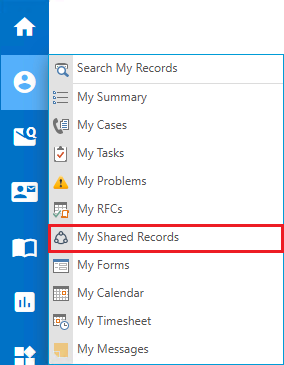
When the Record has been Shared, the Shared With party will be able to access it for the time period specified by selecting the My Shared Records option under the My Views icon on the Navigation Sidebar.